| Summary: | It would be nice if auto crop also worked with black borders,and not just white borders. | ||
|---|---|---|---|
| Product: | [Applications] digikam | Reporter: | jm7 <jm7> |
| Component: | Plugin-Editor-Crop | Assignee: | Digikam Developers <digikam-bugs-null> |
| Status: | REPORTED --- | ||
| Severity: | wishlist | CC: | caulier.gilles, metzpinguin, michael_miller |
| Priority: | NOR | ||
| Version First Reported In: | 7.8.0 | ||
| Target Milestone: | --- | ||
| Platform: | Microsoft Windows | ||
| OS: | Microsoft Windows | ||
| Latest Commit: | Version Fixed/Implemented In: | ||
| Sentry Crash Report: | |||
|
Description
jm7@acm.org
2023-01-18 19:17:36 UTC
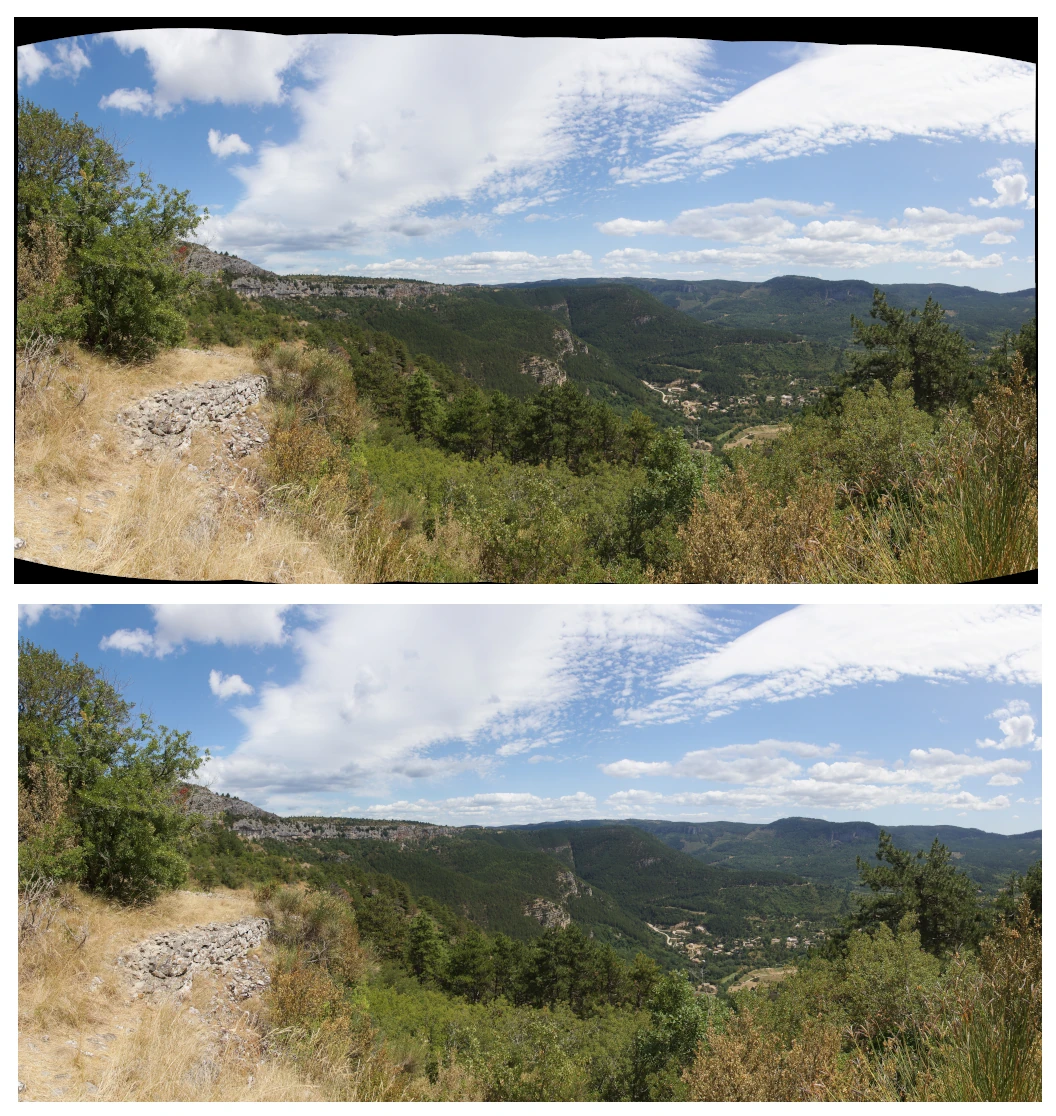
You want mean that scanned image has a black frames around ? Like this one: https://docs.digikam.org/en/_images/editor_autocrop.webp ... taken from the docmentation: https://docs.digikam.org/en/image_editor/transform_tools.html#cropping-a-photograph The autocrop algorithm is designed to crop black frames not white frames. Gilles Caulier Maybe provide a sample image. A test here with a image and a black frame works without any problems. Maik Another wish for Auto-crop AI based tool, related to bug 499208 |