| Summary: | Discover not showing some apps in Fedora when searching through the list or the search bar | ||
|---|---|---|---|
| Product: | [Applications] Discover | Reporter: | francaco <franco.pv> |
| Component: | PackageKit | Assignee: | Plasma Bugs List <plasma-bugs-null> |
| Status: | RESOLVED DOWNSTREAM | ||
| Severity: | normal | CC: | aleixpol, mariamfahmy66, nate, travier |
| Priority: | NOR | ||
| Version First Reported In: | 5.25.5 | ||
| Target Milestone: | --- | ||
| Platform: | Fedora RPMs | ||
| OS: | Linux | ||
| Latest Commit: | Version Fixed/Implemented In: | ||
| Sentry Crash Report: | |||
| Attachments: |
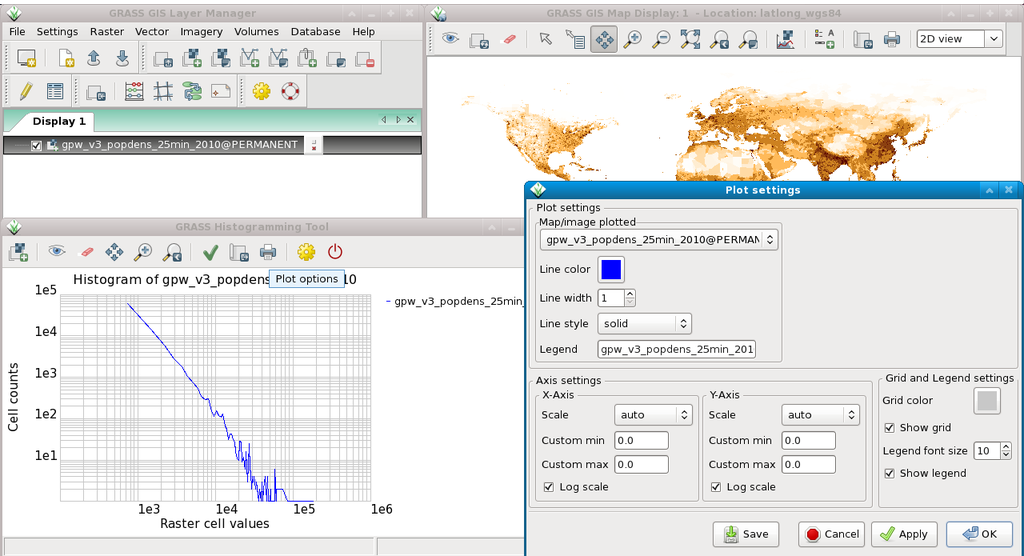
Grass-Gis doesn't appear
Krita repo version doesn't appear even though I have it installed |
||
|
Description
francaco
2022-11-05 02:23:48 UTC
Created attachment 153485 [details]
Krita repo version doesn't appear even though I have it installed
The problem appears to be that this app in question lacks AppStream metadata, as `appstreamcli search` has no results for it: $ appstreamcli search grass Identifier: com.github.emmanueltouzery.cigale [desktop-application] Name: Cigale Summary: Review your past activity Bundle: flatpak:app/com.github.emmanueltouzery.cigale/x86_64/stable Homepage: https://github.com/emmanueltouzery/cigale/ Icon: com.github.emmanueltouzery.cigale.png If the app isn't known to AppStream, Discover won't find it, either. This is by design, because Discover is an "app store", not a package manager. So it only shows you things that register themselves as user-facing apps by defining AppStream metadata. So if this app is lacking AppStream metadata--which seems to be the case--that's an issue in the app itself, which needs to set this metadata so that apps liker Discover and GNOME Software can find it. You should report this to the app's developers. Thanks! Thank you for your feedback! but please give this another chance. I used appstreamcli and searched for both grass and krita, and both showed results for appstream data (Krita for repo and flatpak), but they both still don't show in Discover. $ appstreamcli search grass Identificador: org.osgeo.grass.desktop [desktop-application] Nombre: GRASS GIS Resumen: GRASS GIS, the Open Source Geographic Information System Sitio web: https://grass.osgeo.org/ --- $ appstreamcli search krita Identificador: org.kde.krita [desktop-application] Nombre: Krita Resumen: Pintura digital, libertad creativa Agrupación: flatpak:app/org.kde.krita/x86_64/stable Sitio web: https://www.krita.org/ Icono: org.kde.krita.png --- Identificador: org.kde.krita [desktop-application] Nombre: Krita Resumen: Pintura digital, libertad creativa Sitio web: https://www.krita.org/ Icono: krita --- Can you run "appstreamcli get --details org.osgeo.grass.desktop" and see which Categories it gives? Yes, it gives: Identificador: org.osgeo.grass.desktop [desktop-application] ID interno: system/package/os/org.osgeo.grass.desktop/* Nombre: GRASS GIS Resumen: GRASS GIS, the Open Source Geographic Information System Sitio web: https://grass.osgeo.org/ Programador: GRASS Development Team Descripción: The Geographic Resources... (and the rest of the description) URL predeterminado de captura de pantalla: https://grass.osgeo.org//images/gallery/gui/wxgui_histogram.png Licencia: GPL-2.0+ Sorry, I searched for Krita and it shows different Categories, and I realized that's what you were asking for. For grass, it didn't show any categories, just what I posted before. Alright, then your problem is grass not specifying categories. How is Discover supposed to list GRASS under Geography if it doesn't know it's fitting? I tried looking up the xml file in their repository but I could not find it :( |