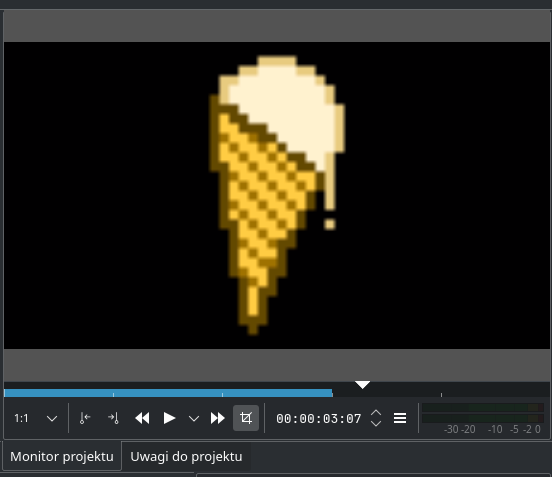
| Summary: | Interpolation is always applied on resulting video (but not in preview) | ||
|---|---|---|---|
| Product: | [Applications] kdenlive | Reporter: | Grzesiek11 <grzesiek11> |
| Component: | Monitors & Playback | Assignee: | Jean-Baptiste Mardelle <jb> |
| Status: | REPORTED --- | ||
| Severity: | normal | CC: | fritzibaby, snd.noise |
| Priority: | NOR | ||
| Version First Reported In: | 21.04.0 | ||
| Target Milestone: | --- | ||
| Platform: | Debian unstable | ||
| OS: | Linux | ||
| Latest Commit: | Version Fixed/Implemented In: | ||
| Sentry Crash Report: | |||
|
Description
Grzesiek11
2020-08-12 15:15:38 UTC
Still the case for 20.12.1. Also checked with the official AppImage (https://download.kde.org/stable/kdenlive/20.12/linux/kdenlive-20.12.1-x86_64.appimage). In the menu go to Monitor -> Monitor config -> Interpolation and change to a better setting. Does that work better? Dear Bug Submitter, This bug has been in NEEDSINFO status with no change for at least 15 days. Please provide the requested information as soon as possible and set the bug status as REPORTED. Due to regular bug tracker maintenance, if the bug is still in NEEDSINFO status with no change in 30 days the bug will be closed as RESOLVED > WORKSFORME due to lack of needed information. For more information about our bug triaging procedures please read the wiki located here: https://community.kde.org/Guidelines_and_HOWTOs/Bug_triaging If you have already provided the requested information, please mark the bug as REPORTED so that the KDE team knows that the bug is ready to be confirmed. Thank you for helping us make KDE software even better for everyone! This bug has been in NEEDSINFO status with no change for at least 30 days. The bug is now closed as RESOLVED > WORKSFORME due to lack of needed information. For more information about our bug triaging procedures please read the wiki located here: https://community.kde.org/Guidelines_and_HOWTOs/Bug_triaging Thank you for helping us make KDE software even better for everyone! (In reply to farid from comment #2) > In the menu go to Monitor -> Monitor config -> Interpolation and change to a > better setting. Does that work better? Well, it makes the preview blurry too, so it is *consistent* with the resulting render, but still isn't *good*: https://grzesiek11.stary.pc.pl/files/images/Screenshot_20210511_011827.png Ideally, I want to be able to choose how a specific clip will be interpolated (so I can choose "none" for a pixelart, and "cubic" for a photo), and both the monitor and rendered file will be consistent with that setting. So I'll say it's still the case in 21.04.0. PS. Sorry for being that late, but I didn't notice the e-mail in my inbox... I think I should close this ticket and open a new one as a feature request. Is that correct? |