| Summary: | partitionmanager breaks ext4 partition | ||
|---|---|---|---|
| Product: | [Applications] partitionmanager | Reporter: | Leonardo <leonardosilvateodoro+kde> |
| Component: | general | Assignee: | Andrius Štikonas <andrius> |
| Status: | RESOLVED WORKSFORME | ||
| Severity: | critical | CC: | leonardosilvateodoro+kde |
| Priority: | NOR | ||
| Version First Reported In: | 3.3 | ||
| Target Milestone: | --- | ||
| Platform: | openSUSE | ||
| OS: | Linux | ||
| Latest Commit: | Version Fixed/Implemented In: | ||
| Sentry Crash Report: | |||
|
Description
Leonardo
2020-04-30 13:12:44 UTC
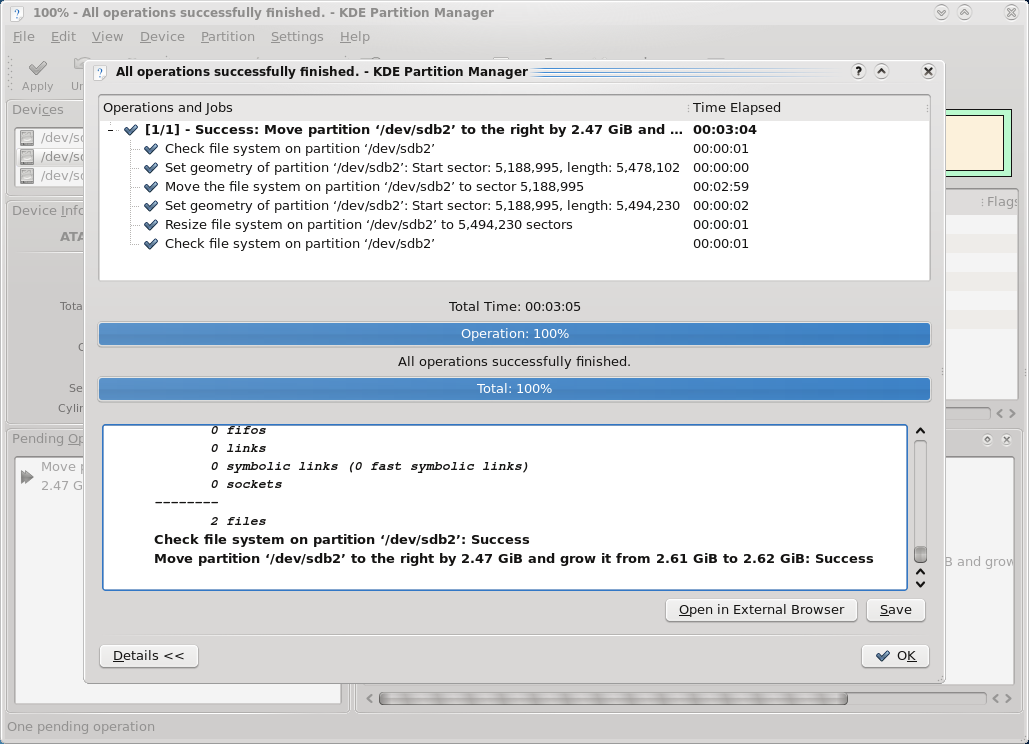
What actually gave you an error about wrong superblocks. Was it KDE Partition Manager while running after resize file system check? Were you resizing mounted partition? It should only be possible to grow ext4 mounted partition not shrink... (Unless you do something illegal like open partitionmanager, mount that partition using external tools, so that KPM is not aware that partition is mounted and then shrink it) (In reply to Andrius Štikonas from comment #1) > What actually gave you an error about wrong superblocks. Was it KDE > Partition Manager while running after resize file system check? I don't get the second part of the answer. It was this: https://linux-cdn.softpedia.com/screenshots/KDE-Partition-Manager_1.png It didn't even took a second to output me a superblock error. > Were you resizing mounted partition? It should only be possible to grow ext4 > mounted partition not shrink... (Unless you do something illegal like open > partitionmanager, mount that partition using external tools, so that KPM is > not aware that partition is mounted and then shrink it) I resized it offline (used opensuse tw liveusb to do it) (In reply to Leonardo from comment #2) > It didn't even took a second to output me a superblock error. > Hmm, so maybe it was found during initial file system check. Otherwise it would have taken much longer (shrinking needs to move data). I just tried the steps you mentioned, it worked fine for me. (everything was done in the right order File sytem check, shrink fs resize partitition, fs check again) (In reply to Andrius Štikonas from comment #3) > (In reply to Leonardo from comment #2) > > It didn't even took a second to output me a superblock error. > > > Hmm, so maybe it was found during initial file system check. Otherwise it > would have taken much longer (shrinking needs to move data). > > I just tried the steps you mentioned, it worked fine for me. > (everything was done in the right order File sytem check, shrink fs resize > partitition, fs check again) Well... I just tried in virtualbox here too and It did work fine :/ Probably It was already borked then... sorry about it Yeah, it could be that there was something bad already and fsck found it. By the way, if you are using live cd for resizing, it's probably a good idea to use newer version of KDE Partition Manager. OpenSuse's is quite old... |