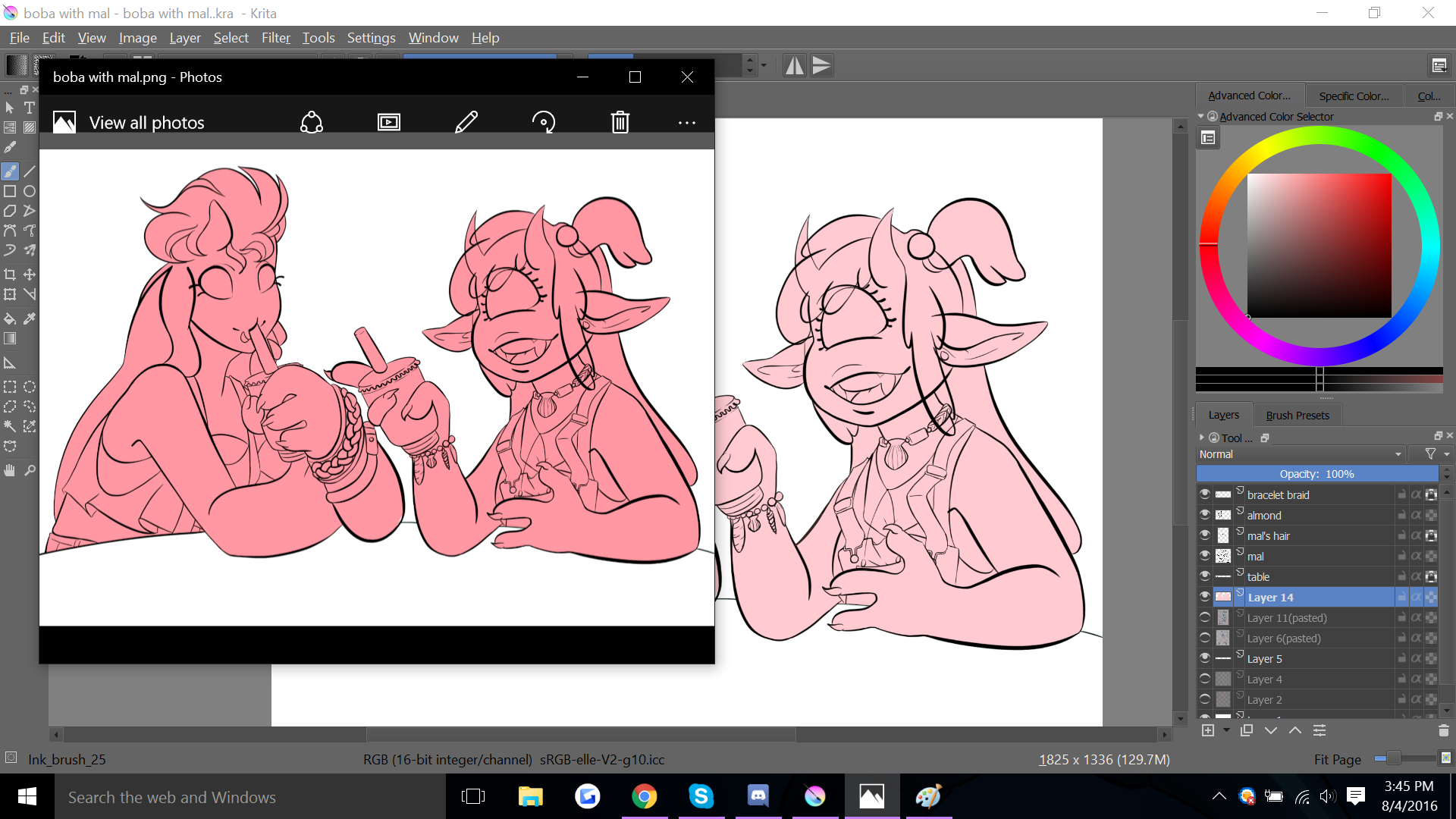
| Summary: | Image colors warped if opened as .png | ||
|---|---|---|---|
| Product: | [Applications] krita | Reporter: | a.nico1995 |
| Component: | File formats | Assignee: | Krita Bugs <krita-bugs-null> |
| Status: | RESOLVED FIXED | ||
| Severity: | normal | CC: | griffinvalley |
| Priority: | NOR | ||
| Version First Reported In: | 3.0 | ||
| Target Milestone: | --- | ||
| Platform: | Other | ||
| OS: | Other | ||
| URL: | https://i.gyazo.com/b8f05e3c53054a6f8582c366c18a8747.png | ||
| Latest Commit: | Version Fixed/Implemented In: | ||
| Sentry Crash Report: | |||
|
Description
a.nico1995
2016-08-04 20:59:16 UTC
Are you using 16bit perhaps? Might this be the issue perhaps: https://docs.krita.org/Gamma_and_Linear ? It seems that I was in the RGB 8-bit channel instead of the 16-bit one for some reason, so switching that fixed the problem. Thank you for the help!! |