| Summary: | drag and drop from browser does not work | ||
|---|---|---|---|
| Product: | [Applications] krita | Reporter: | Storm Engineer <storm.anthro> |
| Component: | General | Assignee: | Krita Bugs <krita-bugs-null> |
| Status: | RESOLVED FIXED | ||
| Severity: | normal | CC: | halla |
| Priority: | NOR | ||
| Version First Reported In: | 3.0 Alpha | ||
| Target Milestone: | --- | ||
| Platform: | Compiled Sources | ||
| OS: | Linux | ||
| Latest Commit: | Version Fixed/Implemented In: | ||
| Sentry Crash Report: | |||
|
Description
Storm Engineer
2016-03-17 01:08:17 UTC
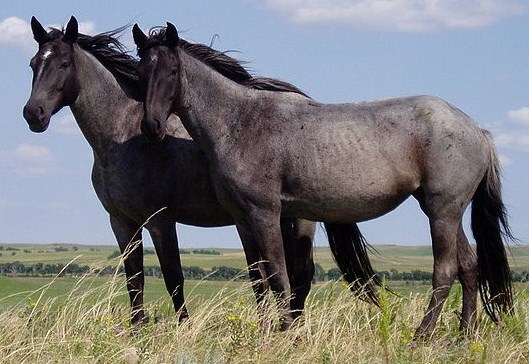
Yeah... That never worked on Windows or OSX and we lost it with the port to Qt5. I'm trying to make a short, simple and cross-platform solution. Fixed in 0129982e9e93f1e27be6fea73d499f2e04f220cd I just updated my system and built 3.0 Fresh (02fefaaf1fa6aefc3f24a42ded3734fe47c34c2f) - still not working, tho it behaves differently now. - If I drop on the canvas it asks if I want to insert as new layer or new document, but after selecting either, Krita asks me to chose a RAW filter, even though the image is a JPEG. Choosing any filter crashes Krita. - If I drop on the empty area of the tab bar for tagged documents in Krita (that used to open images as new document), I get the same "does not exist" error as before. You have to make really sure that you're d&d'ing an image and not a html page. That means that most of the images you see, which are actual links to somethings else cannot be drag&dropped; the drop event then contains an url to the place where the image links to, and not the image. I tested with images found in Google image search, after opening the image directly with "view image". I thought that is supposed to open the file itself. Neither of these images can be drag and dropped: https://nhmu.utah.edu/sites/default/files/attachments/Majestic%20Stallion.jpg http://www-tc.pbs.org/wgbh/nova/next/wp-content/uploads/2015/08/horse-smile_2048x1152.jpg While this from Wikipedia can: https://upload.wikimedia.org/wikipedia/commons/d/de/Nokota_Horses_cropped.jpg |