| Summary: | tooltip which indicates what percentage way down the document is currently? | ||
|---|---|---|---|
| Product: | [Applications] okular | Reporter: | Enda <enda_k2> |
| Component: | general | Assignee: | Okular developers <okular-devel> |
| Status: | RESOLVED INTENTIONAL | ||
| Severity: | wishlist | CC: | aacid |
| Priority: | NOR | ||
| Version First Reported In: | unspecified | ||
| Target Milestone: | --- | ||
| Platform: | unspecified | ||
| OS: | Other | ||
| Latest Commit: | Version Fixed/Implemented In: | ||
| Sentry Crash Report: | |||
|
Description
Enda
2012-08-07 16:21:47 UTC
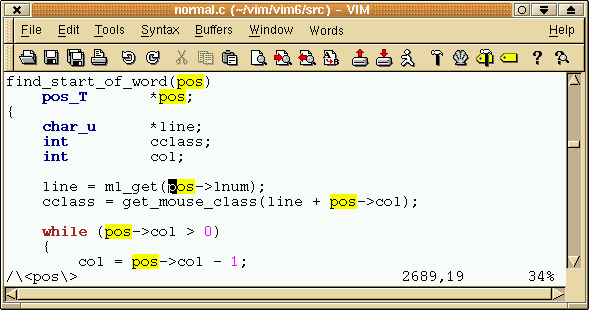
What's the point of that? The scrollbar gives you that information. (In reply to comment #1) In Emacs or Vim (using Ctrl+G), I am used to seeing exactly what percentage way down the document is currently. Because they don't have a scrollbar :-) Now find me a gui program that does what you are asking Waiting for info (In reply to comment #3) > Now find me a gui program that does what you are asking gVim: the GUI for Vim :) http://www.vim.org/images/hlsearch.gif I have not come across a GUI program that does what I said in comment #0 (that I am aware of). gvim does not do what you are asking for. gvim has a statusbar entry that shows the percentage, that's totally different than a tooltip in the scrollbar. I am sorry but until that becomes standard practice for GUI applications i'm not implementing that in Okular |